Each step follows automatically — there is nothing to guess, the platform guides you all the way to the end. The 5 steps on a different background show the Microsoft Authenticator mobile app. If needed, click on the images to enlarge them.
1
Registration
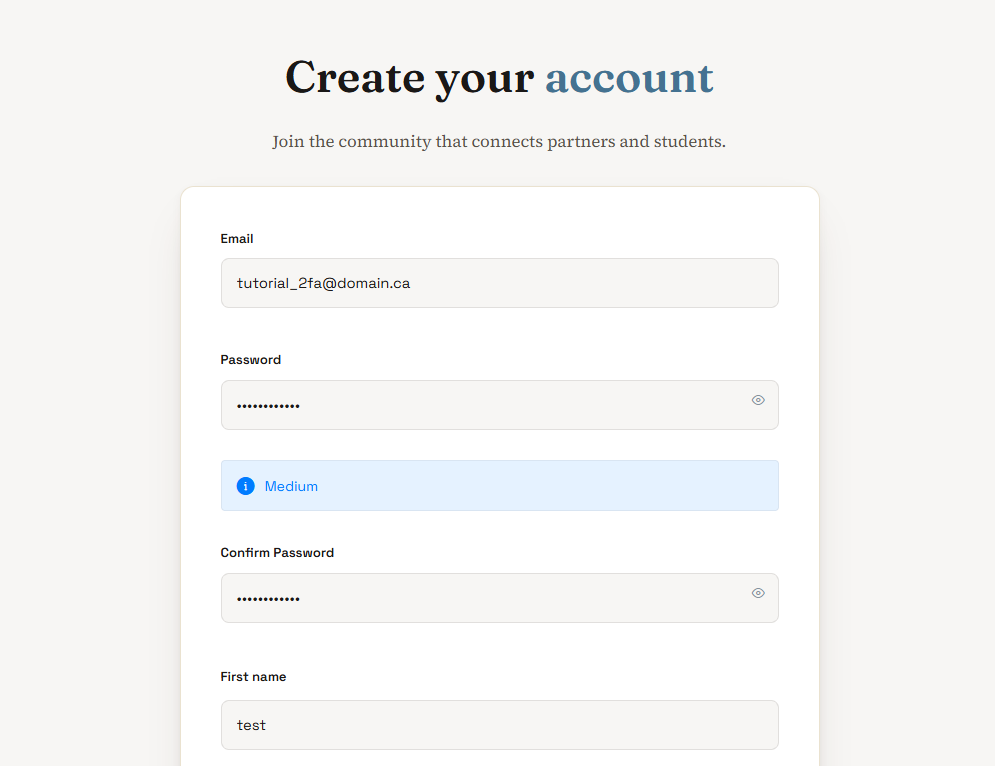
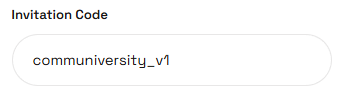
Go to the registration page: https://communiversity.studio/inscription/ , enter an email and a password, then choose the role(s) (student, professor, community partner, teaching assistant). If you have an invitation code, enter it in the designated field (for example, communiversity_v1). If you do not have one, leave the field blank — the registration will still go through.
2
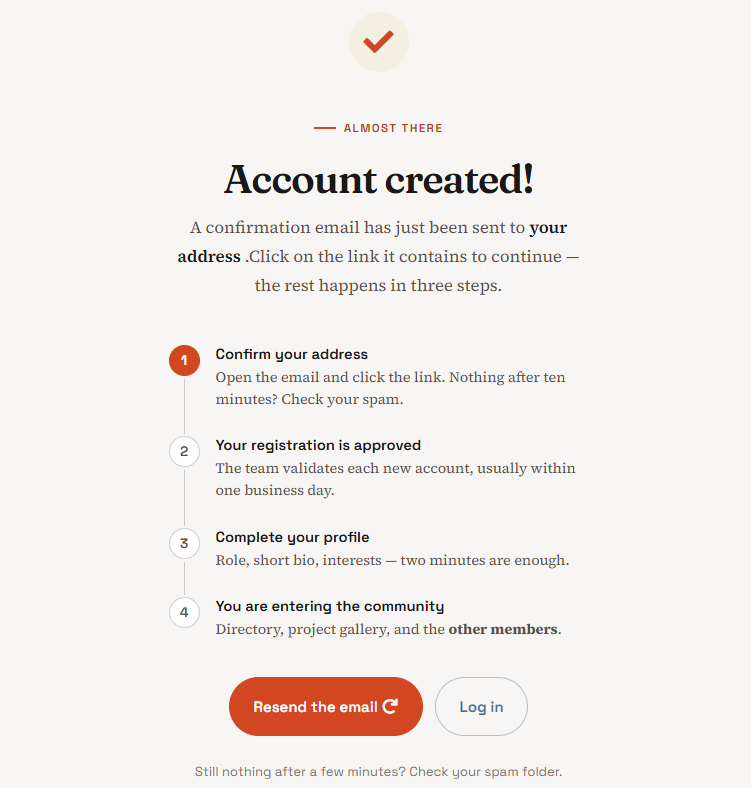
Account created
A page confirms that the account has been created. Head to the inbox (and spam) for the confirmation email.
3
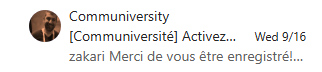
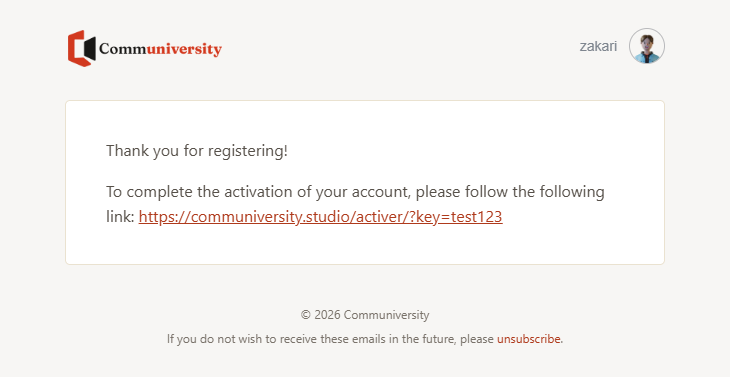
Check one's emails
The confirmation email contains a activation link. Anything after a few minutes? Check spam.
4
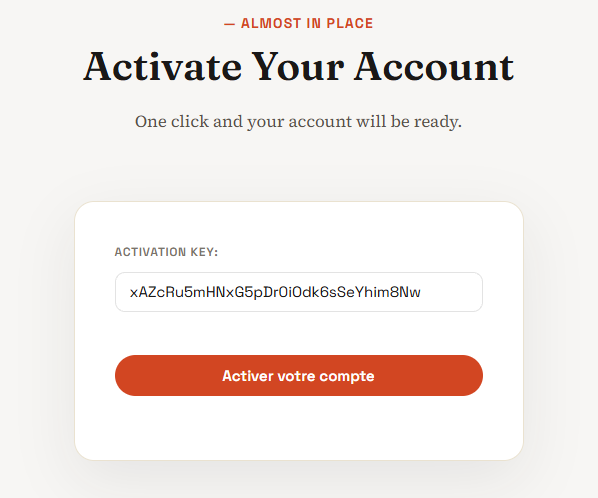
Activate account
And clicking on the link, the activation page appears with the key already filled in — you just need to click on «Activate».
5
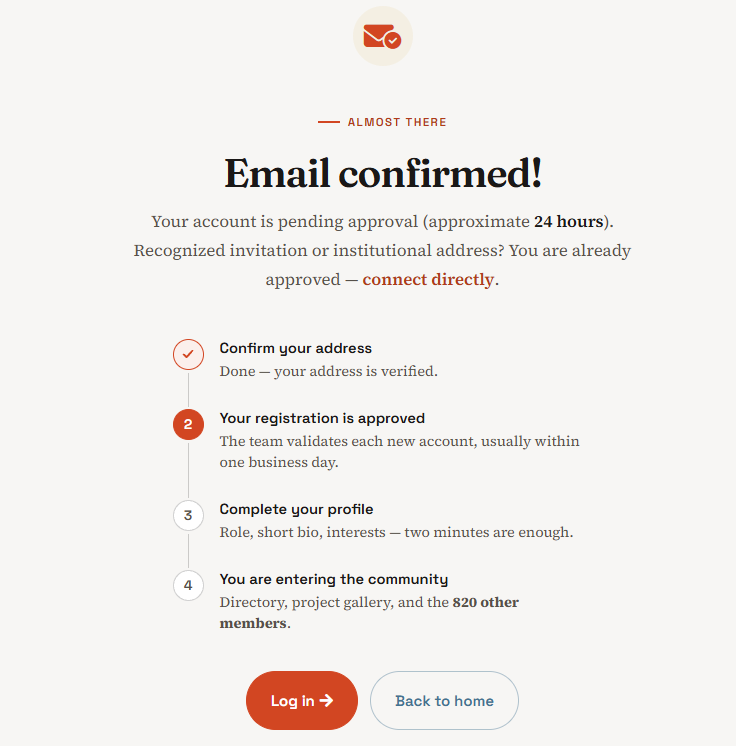
Email confirmed
The account is activated and the email address is confirmed.
6
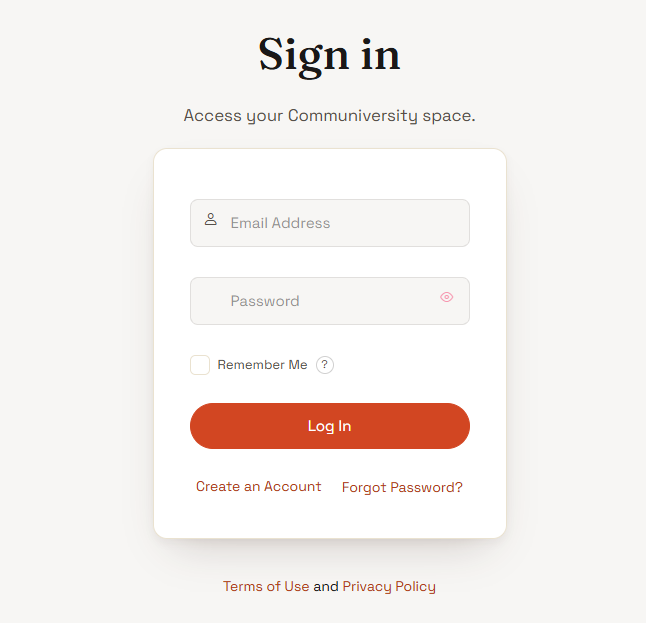
Login
Return to login page for Log in with the new account. If an invitation code was used at registration, access is immediate the account is approved automatically. Without invitation code, a team member must approve the account before you can log in.
7
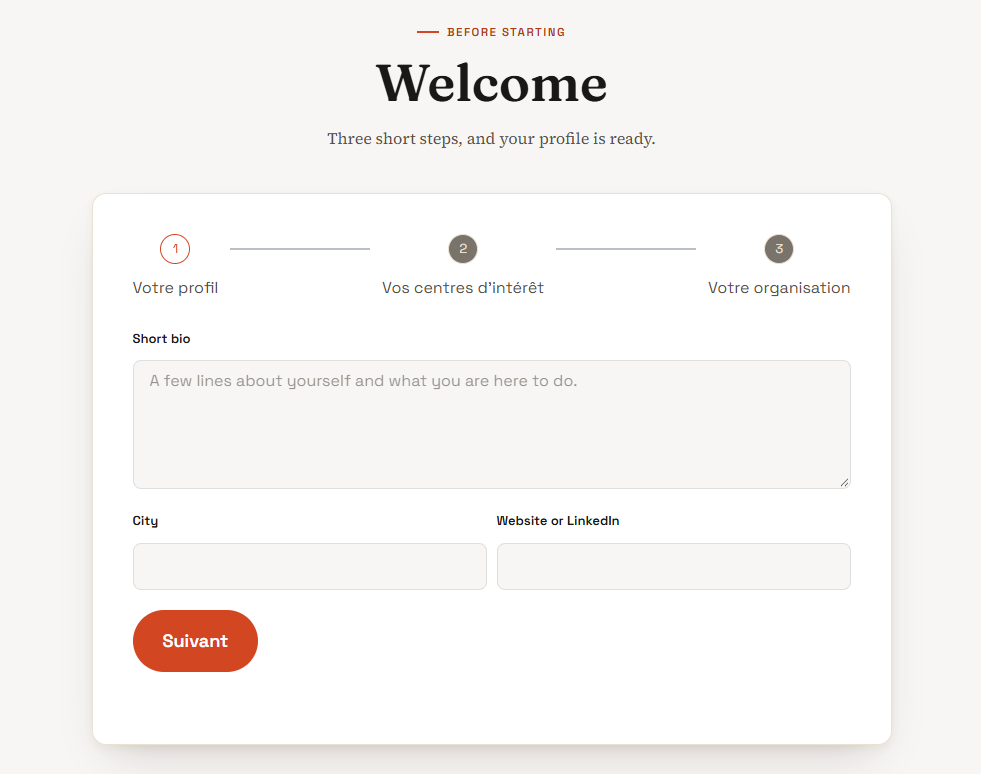
Complete profile
A short profile form (onboarding) appears automatically—hardly a minute.
8
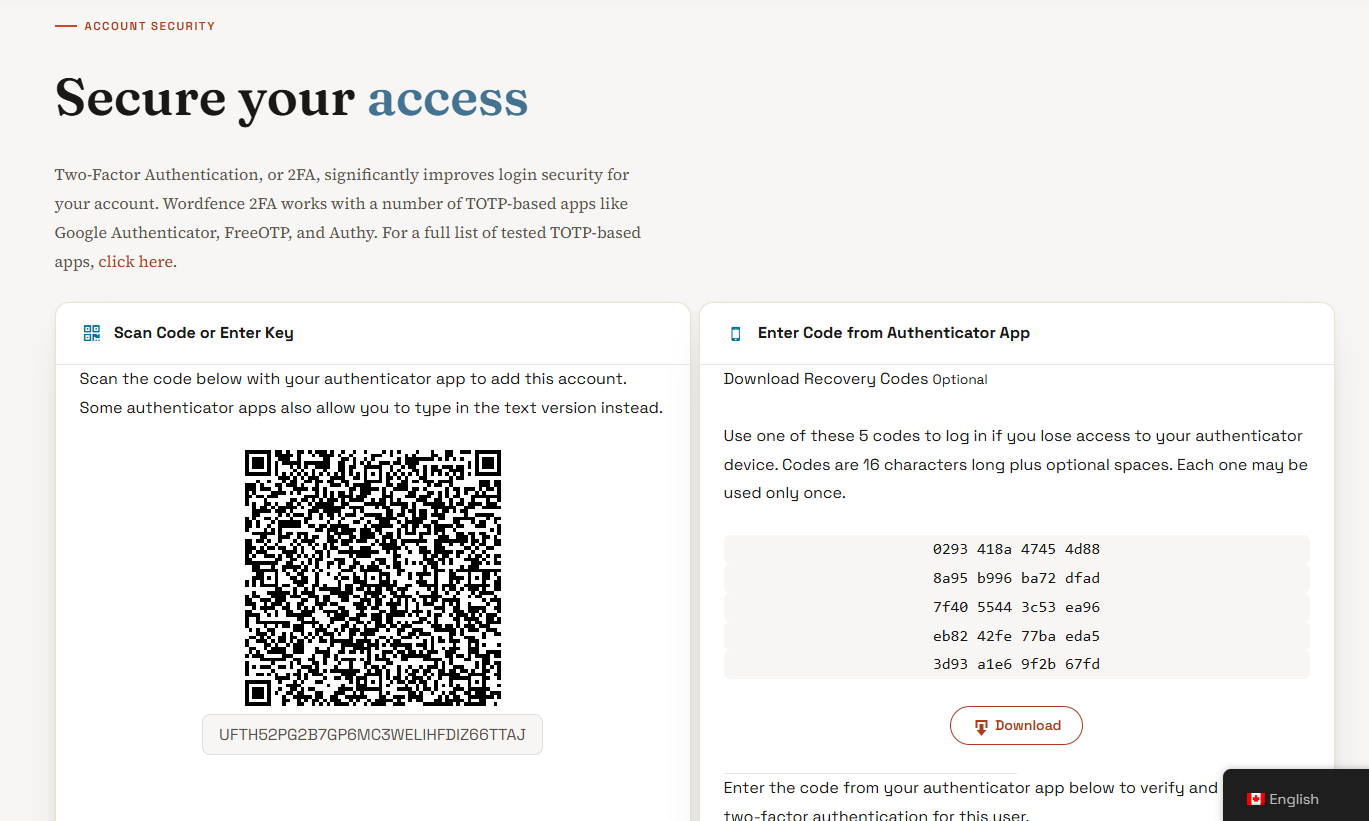
Configure 2FA
The platform then automatically redirects to the account security page two-factor authentication (2FA) is there Mandatory before continuing.
9
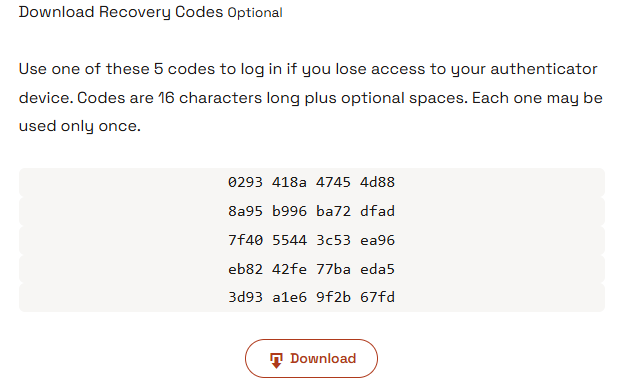
Recovery codes
Wordfence provides recovery codes single-use. The preserve in a safe place — they allow you to reconnect in case of a pAccess error on the phone.
10
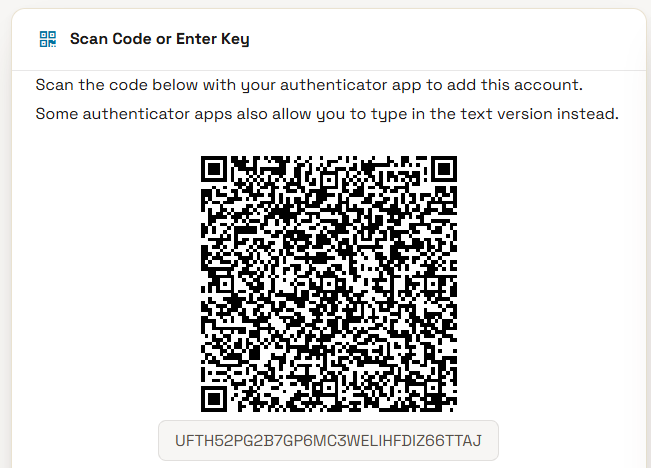
Ready to scan the QR code
The page displays a QR code and a key. With Microsoft Authenticator installed on the phone, we are ready for the next steps.
11
On mobile
Download an authentication app
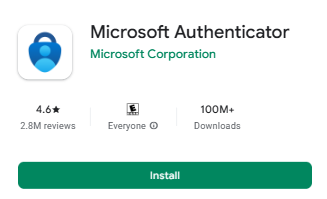
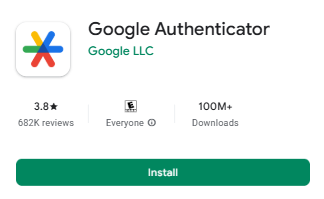
On the phone, install a authentication application from the Play Store or the App Store: Microsoft Authenticator or Google Authenticator Both will do. For this example, we use Microsoft Authenticator — the screenshots of the following steps come from this application.
12
On mobile
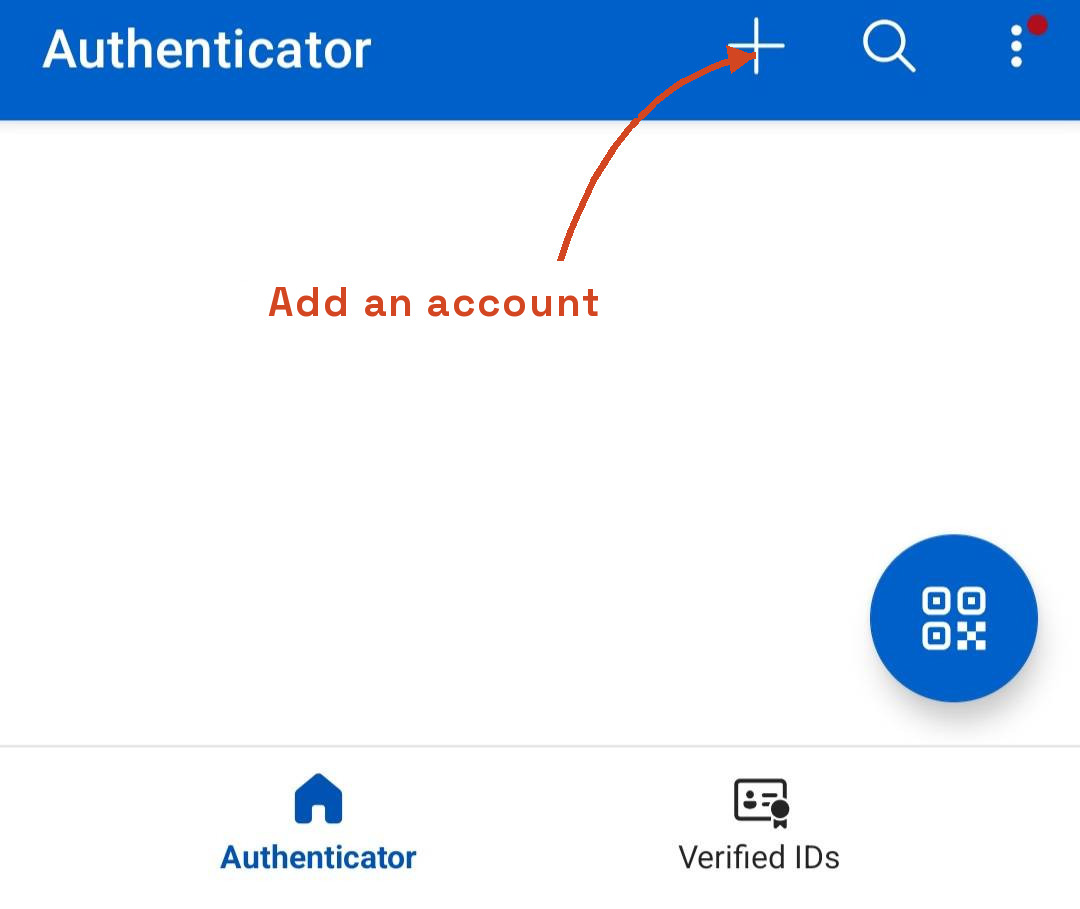
Open Microsoft Authenticator
In the app, press on the «+» button» at the top of the screen to add an account.
13
On mobile
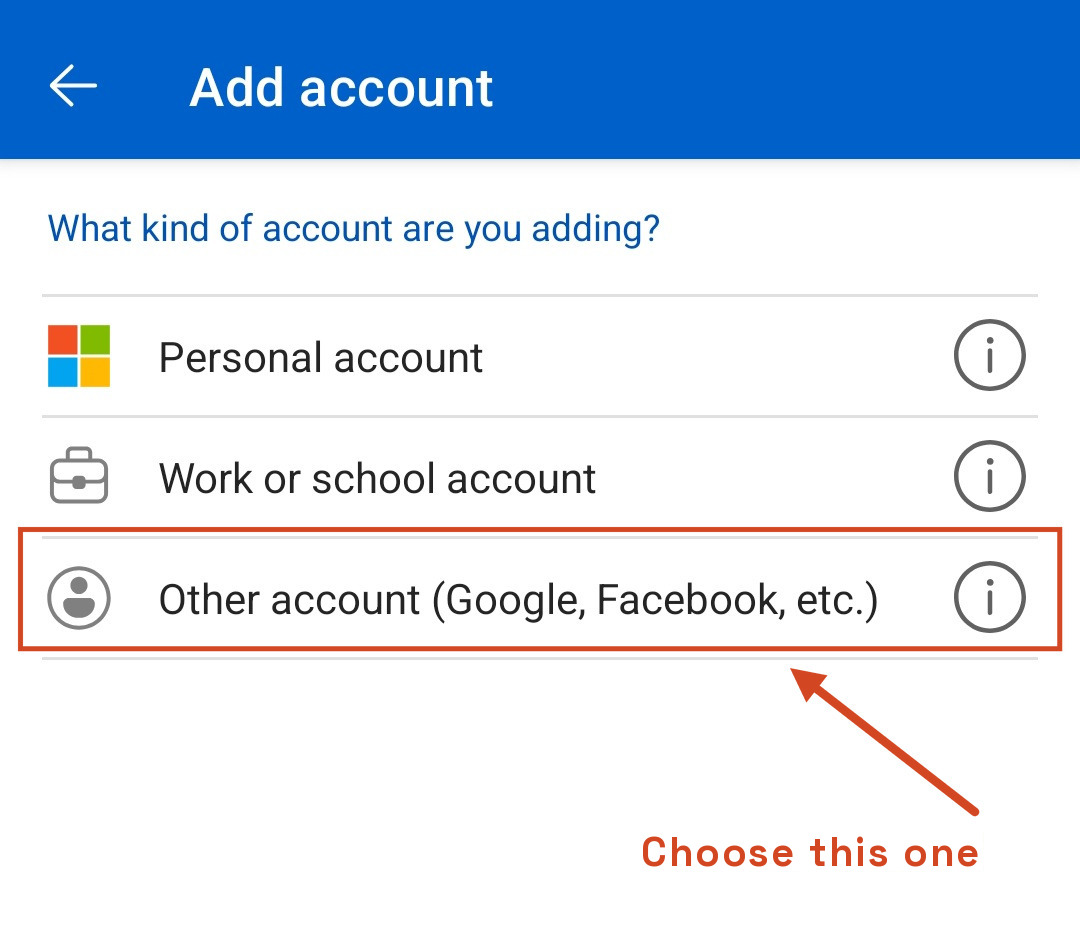
Select «Other account»
In the menu that appears, select « Other account (Google, Facebook, etc.) » — that's the kind of guy we need for a Communiversity account. The camera opens immediately : scan the QR code displayed on the computer screen.
14
On mobile
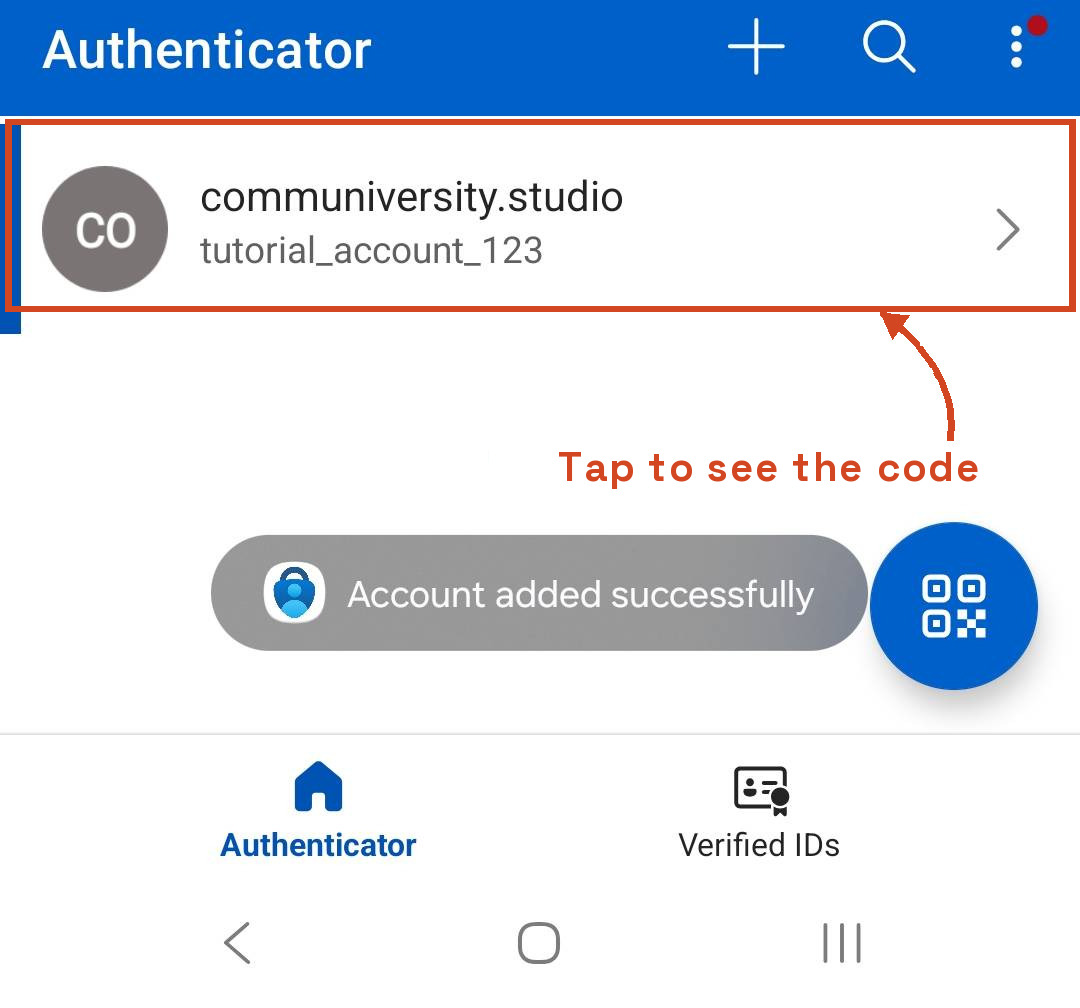
Open the added account
Once scanned, the account appears in the list with the confirmation «Account added successfully». Tap on it to see the code.
15
On mobile
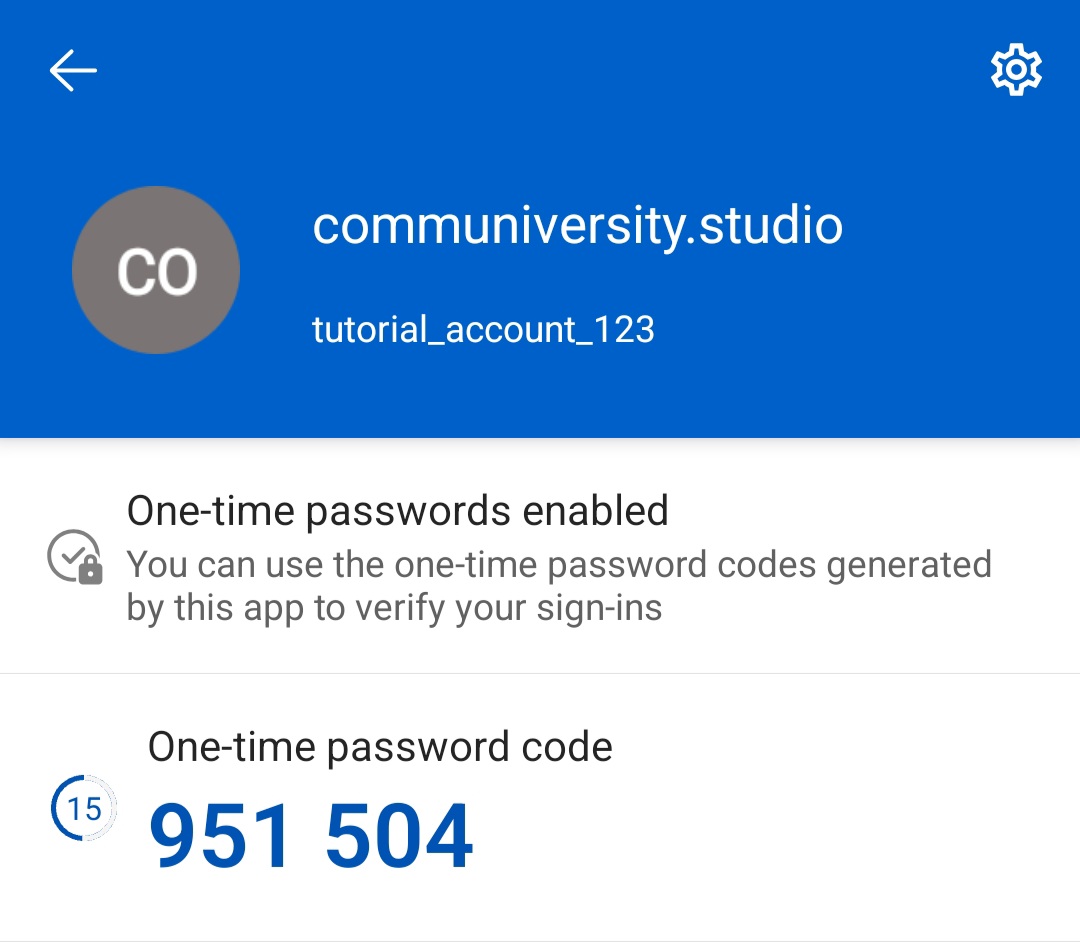
Read the generated code
The 6-digit code is displayed — automatically renewed every 30 seconds (timer visible on the left).
16
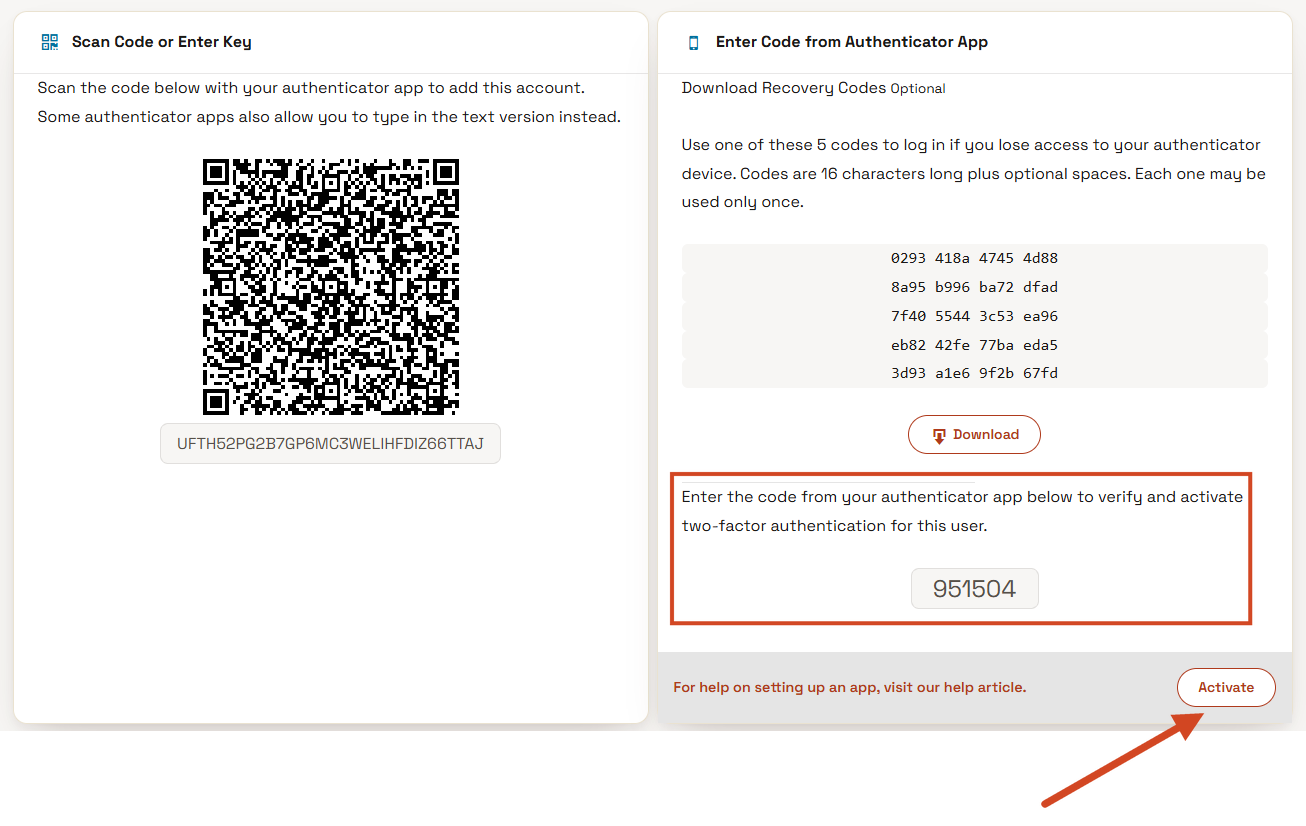
Confirm the code
Enter the 6-digit code currently displayed in the app to confirm activation and click the Enable button.
✓
17
It's over!
2FA is now active. At each login, a code from the app will be required in addition to the password.
Please note:
This action will also remove this member from your connections and send a report to the site admin.
Please allow a few minutes for this process to complete.

 English
  French